The best extension for previewing links without opening tabs
Last updated August 20, 2026 · 4 min read
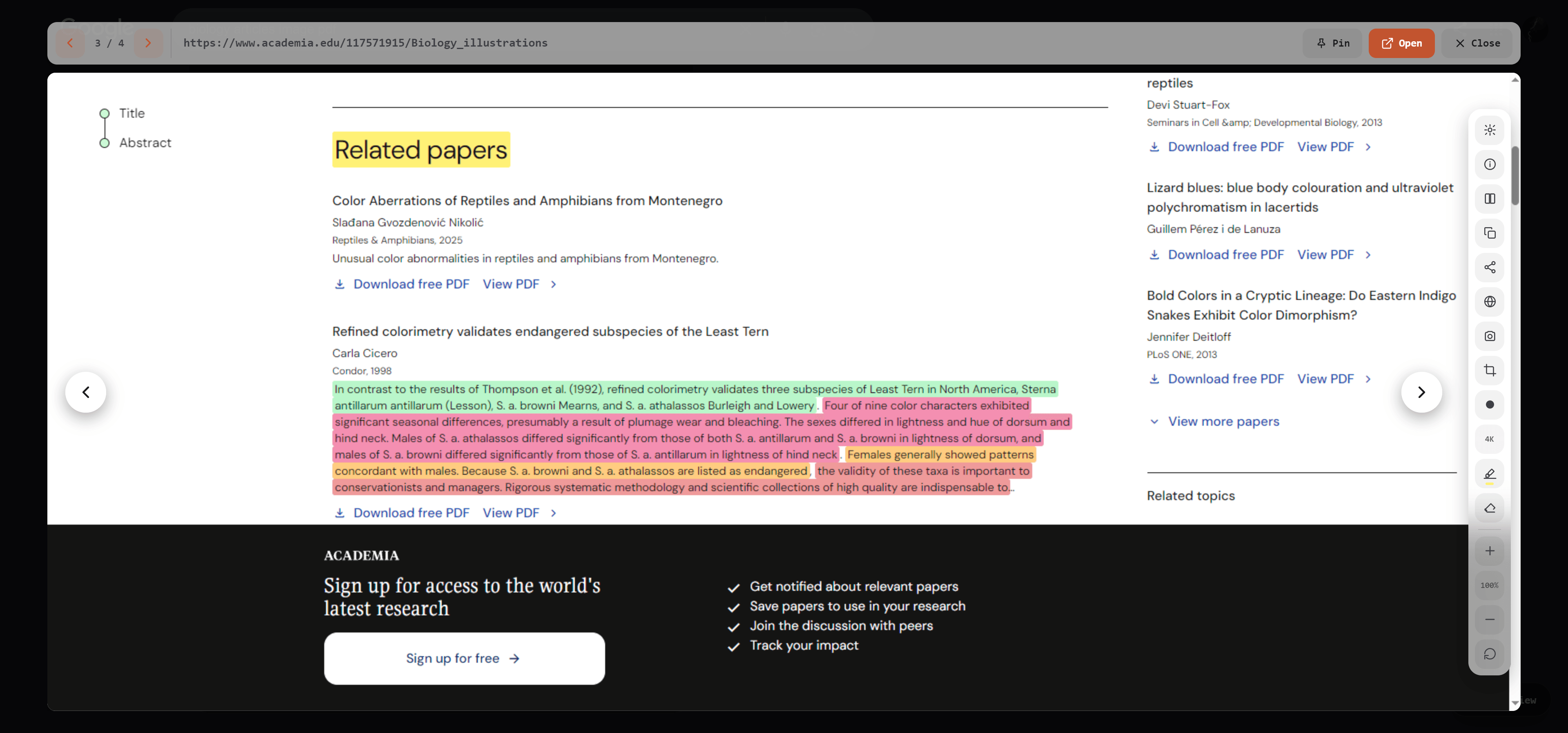
Searching for "best extension for previewing links" turns up a lot of tools that technically show you something before you click, but not all of them show you the same thing. Some render a tiny thumbnail. Some just repeat the meta description you already saw in the snippet. A few actually load the page. The difference matters more than it sounds like it should.
What "preview" should actually mean
A useful preview answers the question you clicked for in the first place: is this page worth my time? That means the real title and description (not a cached, sometimes-stale version), an actual image or inline video where the page has one, and — for anything you'd normally judge by content — enough of the real text to make the call. A thumbnail alone doesn't get you there. Neither does a summary generated from a search index that hasn't crawled the page in months.
What to check before picking one
- Does it work on any link, or only on one search engine's results page?
- Does it fetch the live page, or show you a cached/indexed snapshot that can be out of date?
- Can you step to the next result without closing the preview and starting over?
- Does closing the tab you were on lose your place in a list of results you were working through?
Peekly's answer to all four: previews work by press-and-hold on any page, not just search results; the extension fetches the page directly from your browser the moment you open it, so it's never looking at a stale copy; arrows step through results with the next one pre-loading in the background; and the whole point of the preview is that your tabs and your place in the results never move.
The honest limitation
A live preview means the target page actually has to load, so a page behind a login wall or heavy bot protection can't be previewed the way a public page can — Peekly shows you a plain domain card in that case instead of pretending to have content it doesn't. That's a real tradeoff of fetching the live page instead of a cached one, and it's worth knowing about before you rely on it for every link.